

Introduction
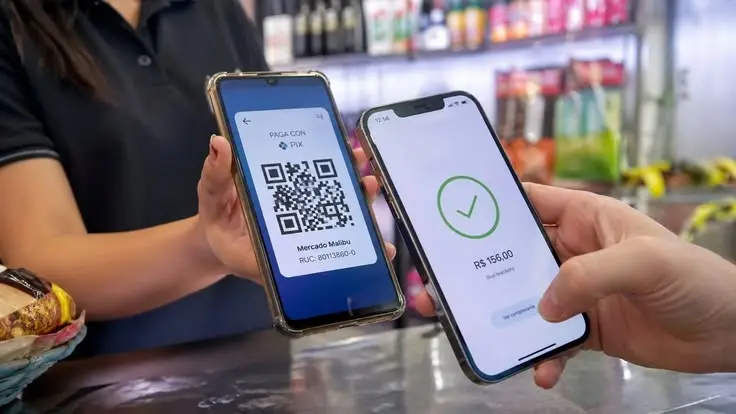
Mobile banking has completely changed the way people manage money in everyday life. Instead of visiting a bank branch and waiting in long lines, users can now send money, pay bills, check balances, and manage accounts directly from their smartphones. This convenience has made digital banking one of the most popular financial solutions around the world.
However, while mobile banking offers speed and comfort, it also comes with certain risks. Many beginners use banking apps without understanding basic safety rules. Cybercriminals often target users who ignore security settings, use weak passwords, or connect to unsafe networks. Because of this, learning important mobile banking tips is necessary for anyone who wants to protect their money and personal information.
Whether you are new to online banking or already using banking apps daily, understanding safe practices can help you avoid scams, fraud, and account theft. Smart banking habits also make financial management easier and more organized.
What is Mobile Banking?
Mobile banking is a digital banking service that allows customers to perform financial transactions through a smartphone or tablet. Most banks provide official mobile apps that let users access their accounts anytime and anywhere.
With mobile banking, users can:
- Check account balances
- Transfer funds
- Pay utility bills
- View transaction history
- Deposit checks digitally
- Apply for banking services
- Manage credit cards and loans
Modern banking apps are designed to save time and improve convenience. Instead of depending on physical branches, customers can complete important financial tasks within minutes.
Many banks also offer advanced features such as biometric login, spending analysis, instant alerts, and budgeting tools. These features make mobile banking more efficient and user-friendly.
Although mobile banking is extremely useful, users must understand how to use these services safely. Following trusted mobile banking tips helps reduce risks and protects sensitive financial data.
Why is Mobile Banking Important?
Mobile banking has become important because it offers flexibility, speed, and better control over personal finances. People now expect instant access to their bank accounts without location or time limitations.
One major advantage is convenience. Users can send payments, transfer money, and monitor transactions while traveling, working, or staying at home. This saves valuable time and reduces the need to visit bank branches.
Mobile banking also improves financial awareness. Many apps provide spending summaries, transaction notifications, and budgeting features that help users track expenses more effectively.
Another important benefit is faster financial management. Emergency payments, online shopping, and bill payments become simple and quick through secure banking apps.
Businesses also benefit from mobile banking because it allows owners to manage payments and monitor transactions in real time.
As digital transactions continue to increase worldwide, understanding mobile banking tips is becoming essential for safe and responsible money management.
Detailed Step-by-Step Guide
Choose a Trusted Banking App
The first and most important step is selecting the official app of your bank. Download banking apps only from trusted platforms such as the Google Play Store or Apple App Store.
Before downloading, check:
- App ratings and reviews
- Developer information
- Number of downloads
- Update frequency
Avoid downloading banking apps from unknown websites because fake apps are often created to steal user information.
Create a Strong Password
One of the best mobile banking tips is using a strong and unique password. Weak passwords make it easier for hackers to access your account.
A strong password should:
- Include uppercase and lowercase letters
- Contain numbers and symbols
- Avoid personal information like birthdays
- Be different from social media passwords
Changing passwords regularly adds another layer of security.
Enable Two-Factor Authentication
Two-factor authentication, also known as 2FA, provides extra protection. It requires users to verify identity using an additional method such as a text message code, email code, or authentication app.
Even if someone discovers your password, they still cannot access the account without the second verification step.
Many experts consider this one of the most important mobile banking tips for account protection.
Use Biometric Security
Most modern smartphones support biometric security features like fingerprint scanning and facial recognition.
These features improve security because biometric data is difficult to copy or steal.
Benefits of biometric login include:
- Faster account access
- Better account protection
- Reduced password risks
- Improved user convenience
Always enable biometric login if your device supports it.
Avoid Public Wi-Fi Networks
Public Wi-Fi connections are often unsafe for banking activities. Hackers may use unsecured networks to intercept sensitive data.
Avoid checking bank accounts or transferring money while connected to:
- Public cafes
- Airports
- Hotels
- Shopping malls
Instead, use secure mobile data or a trusted private Wi-Fi network.
Keep Your Phone Updated
Software updates are important for device security. Smartphone manufacturers regularly release updates to fix security weaknesses.
Ignoring updates may leave your device vulnerable to cyber threats.
Enable automatic updates for:
- Operating systems
- Banking apps
- Security software
This simple habit greatly improves online safety.
Monitor Account Activity Regularly
Checking transaction history regularly helps detect suspicious activity early.
Review:
- Payment records
- Money transfers
- ATM withdrawals
- Online purchases
If you notice unfamiliar activity, contact your bank immediately.
Regular monitoring is one of the smartest mobile banking tips because early detection can prevent major financial losses.
Activate Transaction Alerts
Most banks provide instant notifications for transactions. These alerts help users monitor account activity in real time.
You can receive alerts for:
- Withdrawals
- Deposits
- Online purchases
- Login attempts
- Password changes
Notifications allow quick action if unauthorized activity occurs.
Never Share Banking Information
Banks never ask customers to share passwords, OTP codes, or PIN numbers through phone calls, emails, or text messages.
Scammers often pretend to be bank representatives to steal information.
Never share:
- Debit card PINs
- OTP verification codes
- Passwords
- CVV numbers
- Banking login details
Learning to identify scams is one of the most valuable mobile banking tips for beginners.
Log Out After Use
Always log out after completing banking activities, especially on shared devices.
Keeping accounts logged in increases the risk of unauthorized access.
Also avoid saving passwords in browsers or note-taking apps without proper security.
Install Antivirus Software
Reliable antivirus software protects smartphones from malware, spyware, and phishing attacks.
Many cybercriminals use malicious applications to steal banking information silently.
Choose trusted mobile security software and scan your device regularly.
Use Secure Payment Methods
When shopping online through mobile banking apps, verify the legitimacy of websites before making payments.
Check for:
- Secure HTTPS connections
- Trusted payment gateways
- Verified sellers
- Customer reviews
Avoid entering banking details on suspicious websites.
Backup Important Information
Data backups help protect important banking information if your phone is lost or damaged.
Use secure cloud storage or encrypted backups for:
- Account records
- Transaction screenshots
- Important banking documents
However, avoid storing passwords in plain text.
Be Careful With SMS and Email Links
Phishing attacks are common in digital banking.
Scammers send fake emails or text messages that appear to come from banks. These messages usually contain links asking users to verify account details.
Never click suspicious links. Instead, open the official banking app directly.
Following this advice is among the most effective mobile banking tips for avoiding fraud.
Set Daily Transaction Limits
Some banking apps allow users to set transfer and spending limits.
Lower transaction limits reduce financial damage if accounts are compromised.
You can adjust limits based on your daily needs while maintaining stronger security.
Lock Your Phone Properly
Your smartphone should always have a secure lock screen.
Recommended security methods include:
- PIN locks
- Fingerprint security
- Face recognition
- Complex passcodes
Avoid simple passwords like 1234 or 0000 because they are easy to guess.
Use Official Customer Support
If you face banking issues, contact official customer support channels only.
Do not trust random social media accounts claiming to provide banking assistance.
Use:
- Official bank websites
- Verified phone numbers
- Authorized banking apps
This reduces the risk of scams and identity theft.
Benefits of Mobile Banking
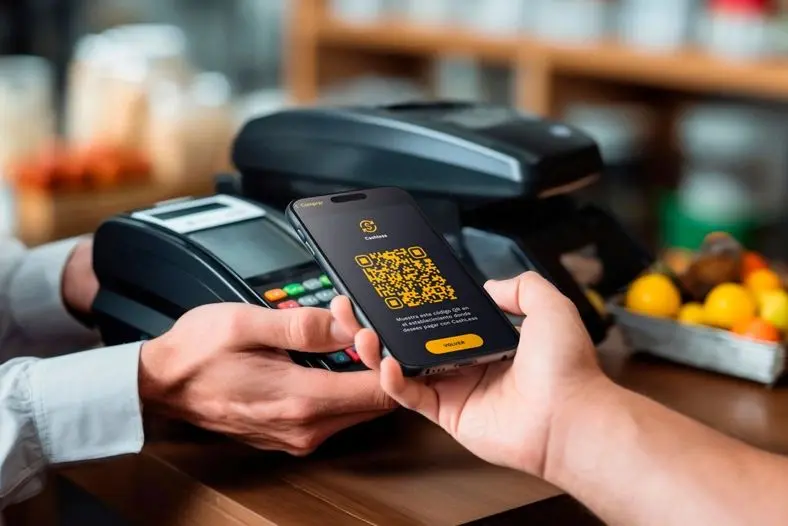
Mobile banking offers many advantages for modern users. Some important benefits include:
- Easy access to accounts anytime
- Faster money transfers
- Quick bill payments
- Reduced need for branch visits
- Better expense tracking
- Instant transaction notifications
- Improved budgeting tools
- Convenient online shopping payments
- Secure account monitoring
- Time-saving financial management
These advantages explain why mobile banking continues to grow worldwide.
Disadvantages / Risks
Although mobile banking is useful, users should also understand potential risks.
- Cybersecurity threats
- Phishing scams
- Data theft risks
- Fake banking apps
- Public Wi-Fi vulnerabilities
- Device hacking possibilities
- Password theft
- Identity fraud
- Technical app failures
- Dependence on internet access
Understanding these risks helps users apply safer mobile banking tips in daily life.
Common Mistakes to Avoid
Many users unknowingly make mistakes that increase banking risks.
Using Weak Passwords
Simple passwords are easy targets for hackers. Always create strong and unique passwords.
Ignoring App Updates
Old app versions may contain security weaknesses. Regular updates improve protection.
Clicking Unknown Links
Phishing links often steal banking credentials. Avoid suspicious messages and emails.
Banking on Public Wi-Fi
Public internet connections expose sensitive data to cybercriminals.
Sharing OTP Codes
Never share OTP verification codes with anyone, even if they claim to represent your bank.
Saving Passwords Unsecurely
Writing passwords in notes or messages without encryption is risky.
Ignoring Transaction Alerts
Alerts help identify suspicious activity early. Always review notifications carefully.
Downloading Apps From Unknown Sources
Unofficial applications may contain malware designed to steal banking information.
Failing to Log Out
Leaving banking sessions active increases the risk of unauthorized access.
Not Reporting Suspicious Activity
Immediate reporting helps banks secure accounts quickly and reduce losses.
FAQs
What is the safest way to use mobile banking?
The safest way to use mobile banking is by combining strong passwords, two-factor authentication, biometric security, and secure internet connections. Avoid public Wi-Fi and regularly monitor account activity.
Is mobile banking safe for beginners?
Yes, mobile banking is generally safe for beginners when proper precautions are followed. Understanding important mobile banking tips helps users avoid scams and protect personal information.
How can I protect my banking app from hackers?
You can protect your banking app by enabling biometric login, updating software regularly, using antivirus protection, and avoiding suspicious links or apps.
What should I do if my phone is lost?
Immediately contact your bank to block account access. Also lock your phone remotely, change passwords, and report suspicious activity.
Can hackers access banking apps through public Wi-Fi?
Yes, unsecured public Wi-Fi networks may allow hackers to intercept sensitive information. Always use trusted internet connections for banking activities.
Why are transaction alerts important?
Transaction alerts help users identify unauthorized activity instantly. Quick detection allows faster action to secure accounts and prevent losses.
Should I use fingerprint login for banking apps?
Yes, fingerprint login improves both convenience and security. Biometric authentication is harder to steal compared to traditional passwords.
How often should I change my banking password?
Experts recommend changing banking passwords every few months, especially if suspicious activity occurs or passwords may have been exposed.
Expert Tips & Bonus Points
Experts recommend developing smart digital habits for safer financial management.
Use Separate Email Accounts
Consider using a dedicated email account for banking activities only. This reduces exposure to spam and phishing attempts.
Avoid Rooted or Jailbroken Devices
Modified devices often have weaker security protections. Using official software improves banking safety.
Enable Remote Device Tracking
Phone tracking services help users locate lost devices or erase sensitive data remotely.
Keep Emergency Contact Numbers
Save official bank helpline numbers for quick assistance during emergencies.
Review Monthly Statements
Monthly statement reviews help identify hidden charges, subscription payments, or suspicious transactions.
Use Banking Apps During Daytime
Completing financial activities during active hours may help users quickly contact support if problems occur.
Educate Family Members
Teaching family members safe mobile banking tips reduces the chances of fraud within households.
Stay Updated About New Scams
Cybercriminals constantly develop new fraud methods. Staying informed helps users recognize threats early.
Avoid Oversharing Financial Information Online
Never post account details, transaction screenshots, or banking information on social media.
Create Emergency Backup Plans
Prepare backup payment methods in case banking apps become temporarily unavailable.
Conclusion
Mobile banking has transformed the way people handle finances by offering convenience, speed, and flexibility. From transferring money to paying bills instantly, digital banking services make everyday financial tasks easier than ever before. However, while these services provide many advantages, users must remain careful and responsible.
Learning essential mobile banking tips is important for protecting personal information, avoiding scams, and reducing financial risks. Strong passwords, secure internet connections, biometric authentication, regular app updates, and transaction monitoring all play major roles in maintaining account safety.
Beginners should focus on developing smart habits such as avoiding public Wi-Fi, enabling transaction alerts, and never sharing sensitive banking information. Intermediate users can further improve security by using advanced features like two-factor authentication and device tracking.
